How to Save Recipes From Facebook Videos and Posts
Save recipes from Facebook videos, Reels and group posts as written recipes you can search and cook from, instead of losing them in Saved.
By Ayoub Farid · · 2 min read
Facebook is full of recipes: cooking videos, Reels, recipe pages and family groups where someone finally posts Aunt Linda's potato salad. Facebook's "Save" feature keeps the post, but finding it again is another story.
Save a Facebook recipe to SmartChef AI
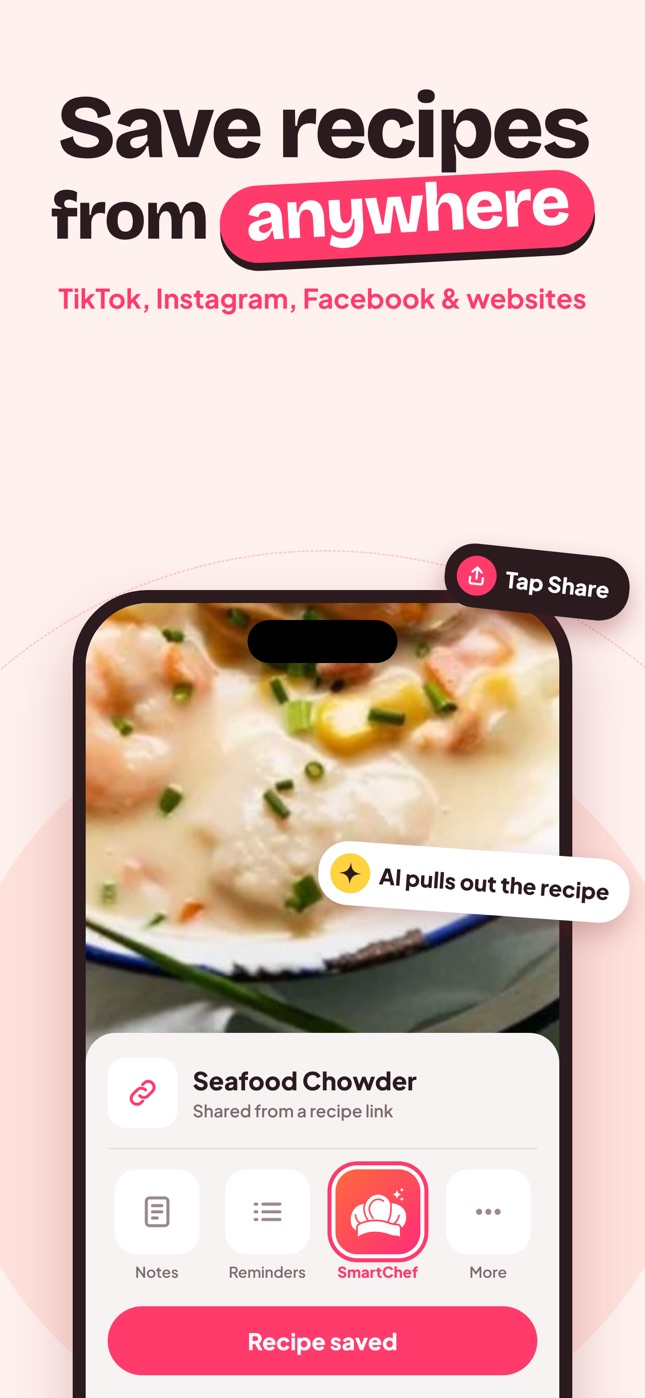
- Open the video, Reel or post.
- Tap Share.
- Choose SmartChef AI (or tap More / Copy link).
- If you copied the link, open SmartChef AI and paste it into Import Recipe.
- Review the ingredients and steps and save to a collection.
Recipes in group posts and comments
Family and community groups often share recipes as plain text, photos of cards or a photo of a cookbook page.
- Text post: share or copy the post link, or copy the text and ask Cook AI to format it.
- Photo of a recipe card: save the image, then Camera Scan → choose from photos.
- Recipe in the comments: screenshot the comment and scan it.
Private group posts may not be readable by import tools, so screenshots are the reliable fallback.
Recipe pages that link to websites
Many Facebook recipe pages post a video and link the full recipe on their website. Follow the link and import the website version. It's usually the most complete. See recipes without ads.
Organize what you save
- Create a collection per source if that helps you remember ("From the family group").
- Or organize by meal type and use the recipe title for the source ("Aunt Linda's potato salad").
- Keep family recipes extra safe; see how to make a family cookbook.
Facebook Saved vs a recipe app
Facebook Saved is fine for a few posts. For dozens of recipes, you want ingredient search, servings scaling and a cooking view that doesn't autoplay the next video.
Tips for Facebook video recipes
- Watch for the description. Many recipe pages put full quantities in the post text under the video; import the post rather than a clip that was reshared.
- Reels vs feed videos. Reels are shared like Instagram Reels; feed videos may need the "Copy link" option.
- Reshared posts. If a recipe was reshared, open the original post to get the full caption.
Keep the original link
The imported recipe in SmartChef AI is your clean copy for cooking. If a video shows a technique you want to see again (folding dumplings, shaping bread), keep the link handy and rewatch that part.
Save before you forget
Facebook feeds move fast, and that recipe from yesterday is hard to find again. Import it the moment you think "I want to make that", even if it goes into a "To try" collection.
Frequently asked questions
Where do saved Facebook recipes go?
In Facebook's "Saved" section. They're still posts, not written recipes, and they disappear if the original is deleted.
Can I import a recipe from a private Facebook group?
Import tools may not access private posts. Screenshot the recipe and scan it into your app.
Can I share a saved recipe back with family?
Send relatives the original post link or a photo of the recipe, and they can import it into their own recipe app. See share recipes with family.
Save it in one tap
Every recipe you love, in one smart kitchen
SmartChef AI saves recipes from TikTok, Instagram and any website, scans cookbooks and handwritten cards, and answers your cooking questions with an AI chef. Free to download on iPhone and iPad.
Download on theApp Store