How to Save Recipes From Instagram Reels and Posts
Save Instagram recipes from Reels and carousel posts as clean written recipes: share-to-app steps, caption tips and how to organize them.
By Ayoub Farid · · 2 min read
Instagram's bookmark icon saves a post, but not the recipe in a form you can cook from. You still have to find it, open it, pause the Reel, zoom into the caption and scroll back up with buttery fingers.
Here's how to save Instagram recipes properly.
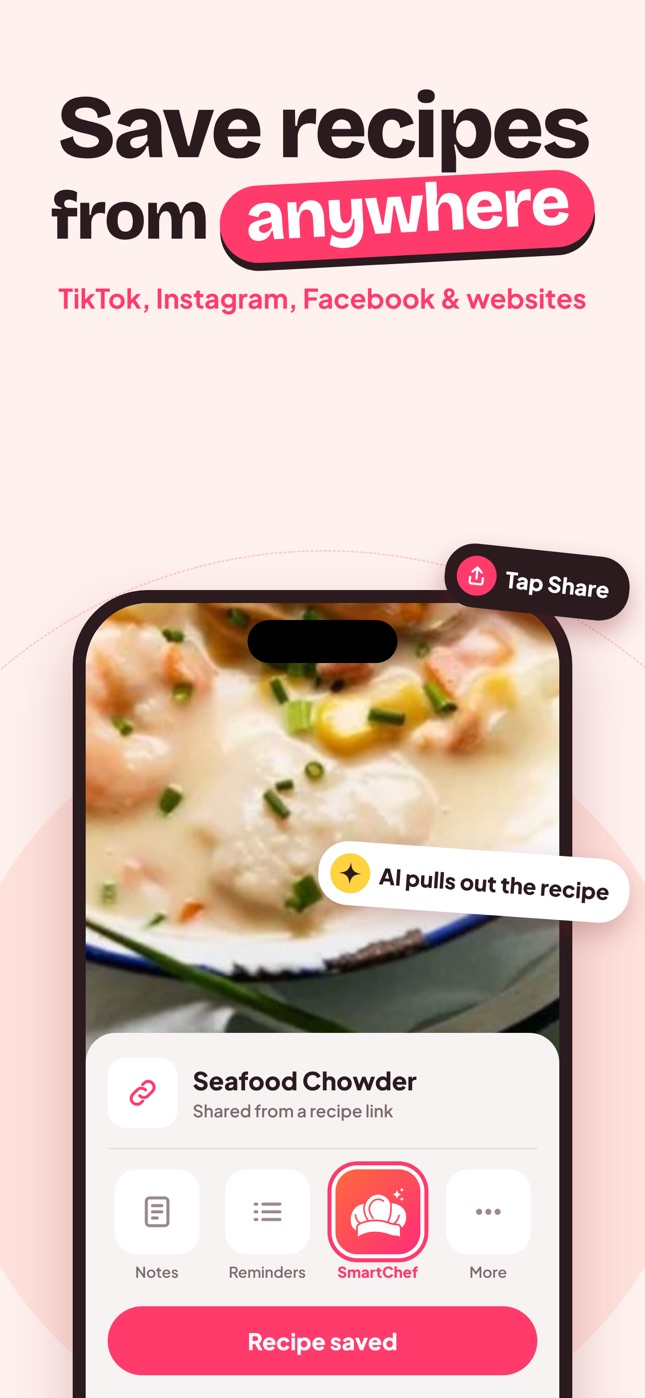
Save a Reel or post to SmartChef AI
- Open the Reel or post.
- Tap the paper plane (Share) icon.
- Scroll the share options and choose SmartChef AI. If you don't see it, tap Share to… / More and pick it from the iOS share sheet.
- The AI extracts ingredients, steps, time and estimated nutrition from the caption and video.
- Review it and save it to a collection.
Or tap Copy link and paste it into the Import Recipe box in SmartChef AI.
Carousel posts (recipe cards in slides)
Many food creators post the recipe as image slides. If the import misses details:
- Screenshot the slides with the ingredients and method.
- Use Camera Scan → choose from photos to scan them.
- Merge into one recipe and delete the screenshots.
See recipe photo to text for screenshot tips.
"Comment RECIPE and I'll DM you"
Some creators send the recipe by DM or link to their website. Once you have the link, share or paste it into the app; website recipes usually import very accurately.
Instagram Saved Collections vs a recipe app
| Instagram Saved | Recipe app | |
|---|---|---|
| Saves the post | Yes | Yes (link + recipe) |
| Written ingredients | No | Yes |
| Search by ingredient | No | Yes |
| Scale servings | No | Yes |
| Survives deleted posts | No | Yes |
Tips for Instagram recipes
- Grams vs cups: Instagram creators are global. Check units and use our measurement conversions.
- Oven temperatures: "180" is Celsius, "350" is Fahrenheit. See oven temperature conversion.
- "Fan" or "convection": reduce by about 20 °C / 25 °F from conventional.
Keep it organized
Mirror how you'd search later: "Weeknight", "Healthy", "Baking", "Hosting". And keep a "To try" collection so new saves don't bury your favorites. More ideas: recipe category ideas.
Frequently asked questions
How do I save an Instagram recipe to my phone?
Share the Reel or post to a recipe app, or copy its link into the app's import box, to get a written recipe you can keep.
Can I save recipes from Instagram Stories?
Stories disappear after 24 hours and often aren't shareable as recipes. Screenshot the recipe frames and scan them.
Why is the imported recipe missing quantities?
The creator may not have listed them. The AI estimates typical amounts, which you can edit.
Save it in one tap
Every recipe you love, in one smart kitchen
SmartChef AI saves recipes from TikTok, Instagram and any website, scans cookbooks and handwritten cards, and answers your cooking questions with an AI chef. Free to download on iPhone and iPad.
Download on theApp Store