How to Get Recipes Without Ads, Pop-ups and Life Stories
Skip the ads, pop-ups and long intros on recipe websites: import just the ingredients and steps into a clean, ad-free recipe you can cook from.
By Ayoub Farid · · 2 min read
You search "easy banana bread", tap a result, and get three autoplay videos, a cookie banner, a newsletter pop-up and 1,800 words about the author's autumn before the ingredient list. The recipe is probably great. Getting to it is the problem.
Why recipe sites look like this
Many food bloggers earn their living from ads, and longer pages hold more ads. The stories also help with search rankings and often include genuinely useful tips. So instead of resenting the format, separate the recipe from the page.
Option 1: Use the "Jump to Recipe" button
Most food blogs have one at the top. It's quick, but you're still on an ad-heavy page while cooking, and the screen may lock or reload.
Option 2: Import the recipe into an app
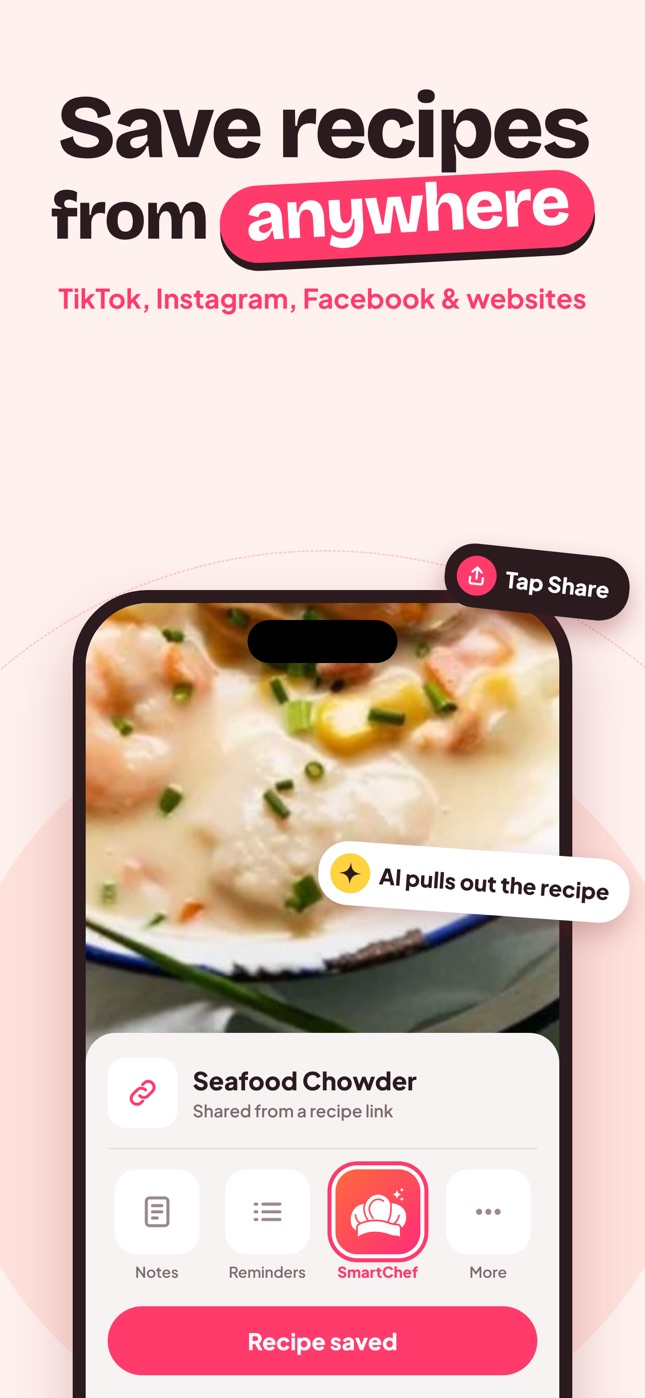
- On the recipe page, tap Share and choose SmartChef AI, or copy the URL.
- Paste it into Import Recipe in SmartChef AI.
- You get only what you need: title, ingredients, steps, time, servings and estimated nutrition.
- Cook from a clean, ad-free screen with an ingredient checklist and step-by-step mode.
Website recipes usually import very accurately because most blogs include structured recipe data.
Option 3: Reader mode
Safari's Reader view strips some clutter, but it often still includes the full story and may drop the recipe card.
Keep the useful bits
The long intro sometimes hides real tips: "use cold butter", "don't skip the resting time". Skim it once, then add the key tips to your imported recipe as a note in a step.
Support the creators you love
If you cook a blogger's recipes often, consider buying their cookbook, subscribing to their newsletter or leaving a comment. The source link helps you find their page again.
What a clean imported recipe includes
- Title and photo
- Ingredients with quantities, ready to tick off
- Numbered steps you can follow one at a time
- Cooking time and servings, which you can scale
- Estimated nutrition per serving
No autoplay videos, no pop-ups, no scrolling past the comments to find step 4.
Why this matters while cooking
When your hands are covered in dough, every pop-up and page jump costs time and mess. A clean recipe view also stays readable when your phone screen dims, and you can keep your place in the steps instead of scrolling up and down a long article. See stop screenshotting recipes for the next step in tidying up your recipe habits.
Frequently asked questions
Is there a way to see recipes without ads?
Import the recipe into a recipe app. You get the ingredients and steps in an ad-free view.
Do I lose the recipe if the website changes?
No. Once imported, your copy of the recipe is saved in your cookbook.
Does importing work on all recipe websites?
It works on most recipe sites and blogs. If something is missing, edit the recipe or paste the text into Cook AI to format it.
Save it in one tap
Every recipe you love, in one smart kitchen
SmartChef AI saves recipes from TikTok, Instagram and any website, scans cookbooks and handwritten cards, and answers your cooking questions with an AI chef. Free to download on iPhone and iPad.
Download on theApp Store