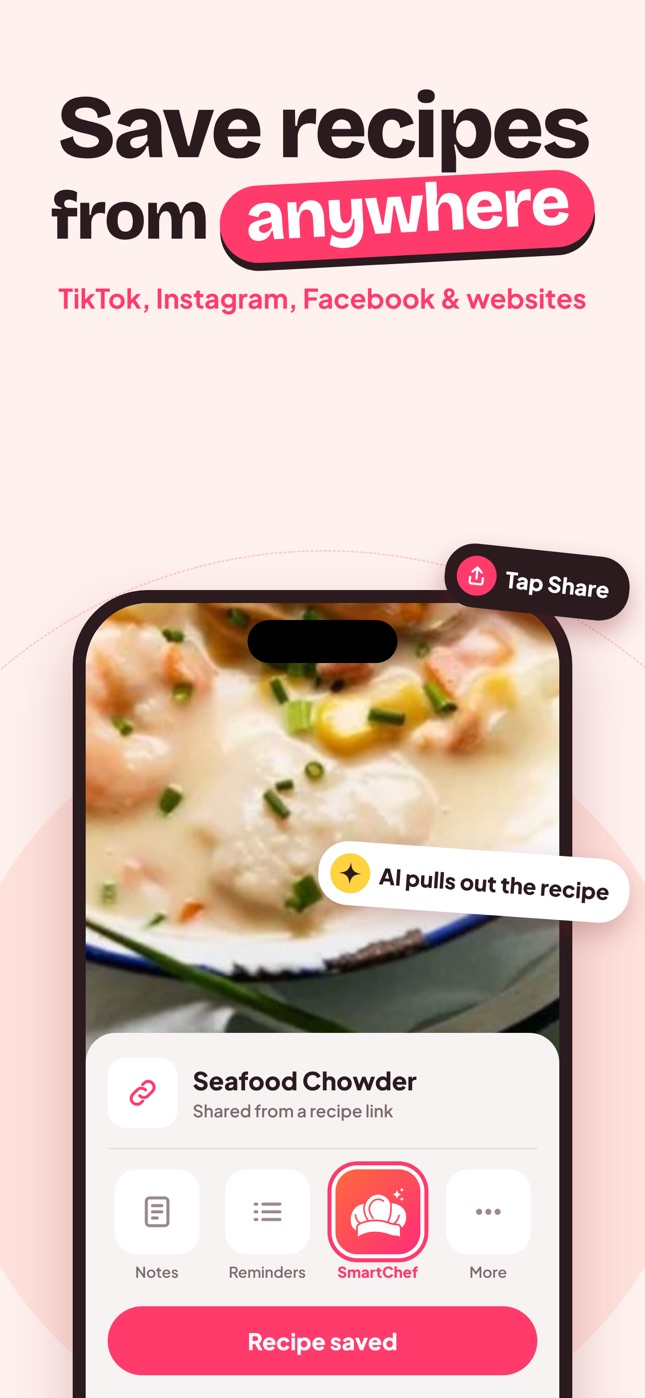
How AI Recipe Import Works for Videos, Websites and Photos
What happens when you share a TikTok, Reel or recipe link to an AI recipe app: how ingredients and steps are extracted, and why some posts fail.
By Ayoub Farid · · 2 min read
You tap Share on a TikTok, choose your recipe app, and a few seconds later there's a tidy recipe with ingredients and steps. Here's what happens in between, and why some posts import perfectly while others need a quick fix.
Three kinds of sources
1. Recipe websites
Most food blogs include structured recipe data (schema markup) that lists ingredients, steps, times and yield. Importers can read it directly, which is why website imports are usually very accurate. AI helps when the markup is missing or messy.
2. Social media posts and videos
TikToks, Reels and Facebook videos don't have a recipe card. The recipe might be:
- in the caption (best case),
- spoken in the video,
- shown as on-screen text,
- or only demonstrated with no quantities.
An AI importer reads whatever text and information is available and assembles a recipe. If quantities were never stated, it has to estimate, so check those.
3. Photos
Cookbook pages, handwritten cards and screenshots go through image understanding: the AI reads the text and structures it into ingredients and steps. Plated dishes are recognized and matched to a typical recipe. See recipe from a food photo.
What the AI produces
In SmartChef AI, each import becomes the same clean format:
- title and photo
- ingredients with quantities
- numbered steps
- cooking time and servings
- estimated nutrition per serving
You can edit ingredients and save the recipe to a collection.
Why an import might be incomplete
| Symptom | Cause | Fix |
|---|---|---|
| Missing quantities | Video never said them | Edit, or ask Cook AI for typical amounts |
| Recipe from the wrong post | Link pointed to a profile or carousel | Share the specific post |
| Partial steps | Recipe continues in comments | Paste the full text, or edit |
| Private post | App can't access it | Use a public link or a screenshot |
Privacy note
To analyze a recipe, the link or image you choose is sent to an AI service. SmartChef AI's in-app notice explains that it's used for the analysis only. Avoid sharing photos with personal information in frame.
Step-by-step guides by platform
- Save recipes from TikTok
- Save recipes from Instagram
- Save recipes from Facebook
- Save recipes from Pinterest
Frequently asked questions
Why do some TikTok recipes import better than others?
Posts with the recipe in the caption or clearly spoken import best. Pure "watch me cook" videos lack quantities, so the AI estimates them.
Does the recipe stay if the video is deleted?
Yes, once it's imported into your app the recipe is saved in your cookbook.
Can I import recipes in other languages?
AI import generally handles many languages, and SmartChef AI's interface is available in 33 languages.
Save it in one tap
Every recipe you love, in one smart kitchen
SmartChef AI saves recipes from TikTok, Instagram and any website, scans cookbooks and handwritten cards, and answers your cooking questions with an AI chef. Free to download on iPhone and iPad.
Download on theApp Store