Get a Recipe From a Photo of Food: How It Works and Tips
Snap a photo of a dish and get a recipe to recreate it. How AI identifies food from a photo, what it gets right and how to improve the result.
By Ayoub Farid · · 2 min read
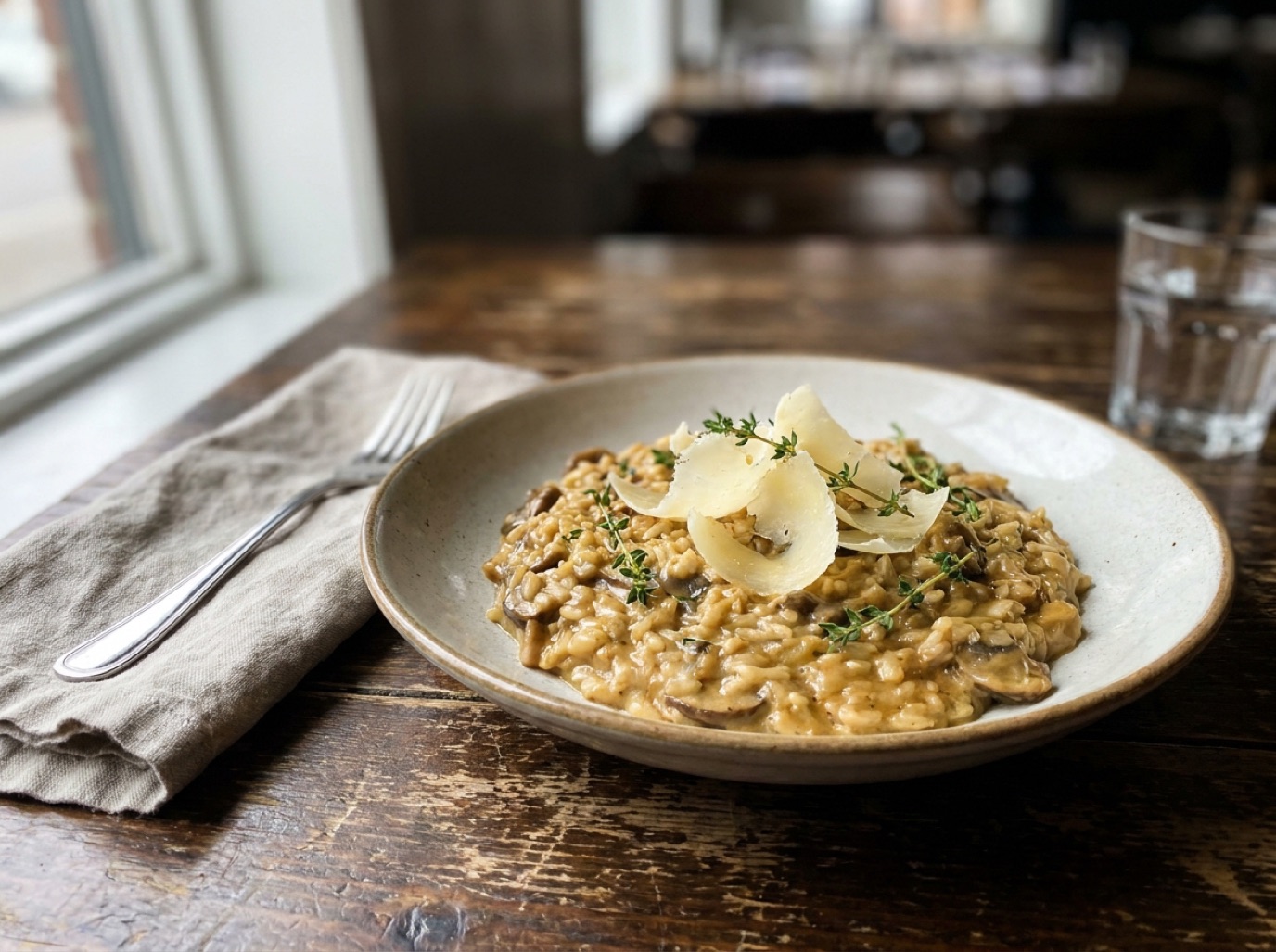
You had an amazing mushroom risotto at a restaurant, or a friend served a curry you can't stop thinking about. Can you get the recipe from a photo? With AI, you can get a very good starting point.
How it works
An AI vision model looks at the photo and recognizes the dish and visible ingredients: arborio rice, mushrooms, parmesan shavings, thyme. It then proposes a recipe based on how that dish is usually made, with quantities and steps.
In SmartChef AI, use Camera Scan on a plate of food (or pick the photo from your gallery). You'll get a recipe with ingredients, steps and estimated nutrition that you can edit and save.
What AI gets right (and what it can't see)
Usually right:
- The dish type (risotto, ramen, tacos, lasagna).
- Visible ingredients and garnishes.
- A standard method for that dish.
Can't see:
- Hidden ingredients: stock, butter, anchovy, a splash of wine.
- Exact quantities and seasoning.
- The restaurant's specific technique.
So think of it as "a recipe for this kind of dish", not the chef's secret recipe.
Tips for better results
- Shoot from 45 degrees so the layers and texture are visible.
- Good light, no flash.
- Add context with Cook AI afterwards: "It tasted smoky and a little sweet" or "The sauce was creamy but there was no cream on the menu."
- Ask the restaurant. Many happily share a rough method.
Recreating restaurant dishes at home
- Scan the photo for a base recipe.
- Note what you remember: textures, flavors, sides.
- Ask the AI to adjust ("make it richer", "add a smoky element").
- Cook it, then edit the saved recipe with what you changed.
Try it with Japanese comfort food like ramen or easy pasta recipes.
Dishes that work best
- Pasta and risotto, where ingredients are visible on top.
- Bowls like ramen, poke and grain bowls, where each component is distinct.
- Tacos, sandwiches and burgers, especially when photographed from the side.
- Salads, where every ingredient is visible.
Harder cases are stews, curries and casseroles, where everything is under a sauce, and baked goods, where the recipe is about ratios you can't see. For those, describe the flavor to Cook AI after scanning, and compare with a trusted recipe.
Make it yours
The first time you cook the AI's version, keep notes: more garlic, less stock, five extra minutes. Edit the saved recipe right away. By the second or third attempt, you'll have a version you like better than the original.
Frequently asked questions
Can AI really identify a dish from a picture?
For common dishes, yes. Unusual fusion dishes or heavily sauced plates are harder, so add a description.
Is the recipe the same as the restaurant's?
No. It's a reconstruction based on typical recipes. Adjust it to taste.
Can it estimate calories from a food photo?
It estimates nutrition from the proposed recipe, which is a rough guide since portion sizes and hidden fats vary.
Save it in one tap
Every recipe you love, in one smart kitchen
SmartChef AI saves recipes from TikTok, Instagram and any website, scans cookbooks and handwritten cards, and answers your cooking questions with an AI chef. Free to download on iPhone and iPad.
Download on theApp Store