Best Recipe Organizer App for iPhone: What to Look For
How to choose the best recipe organizer app for iPhone: importing, collections, search by ingredient, cooking mode, scanning and pricing.
By Ayoub Farid · · 3 min read
The best recipe organizer is the one you actually open when you're hungry. On iPhone, that means fast saving from the share sheet, quick search and a cooking view that's readable with flour on your hands.
The must-haves on iPhone
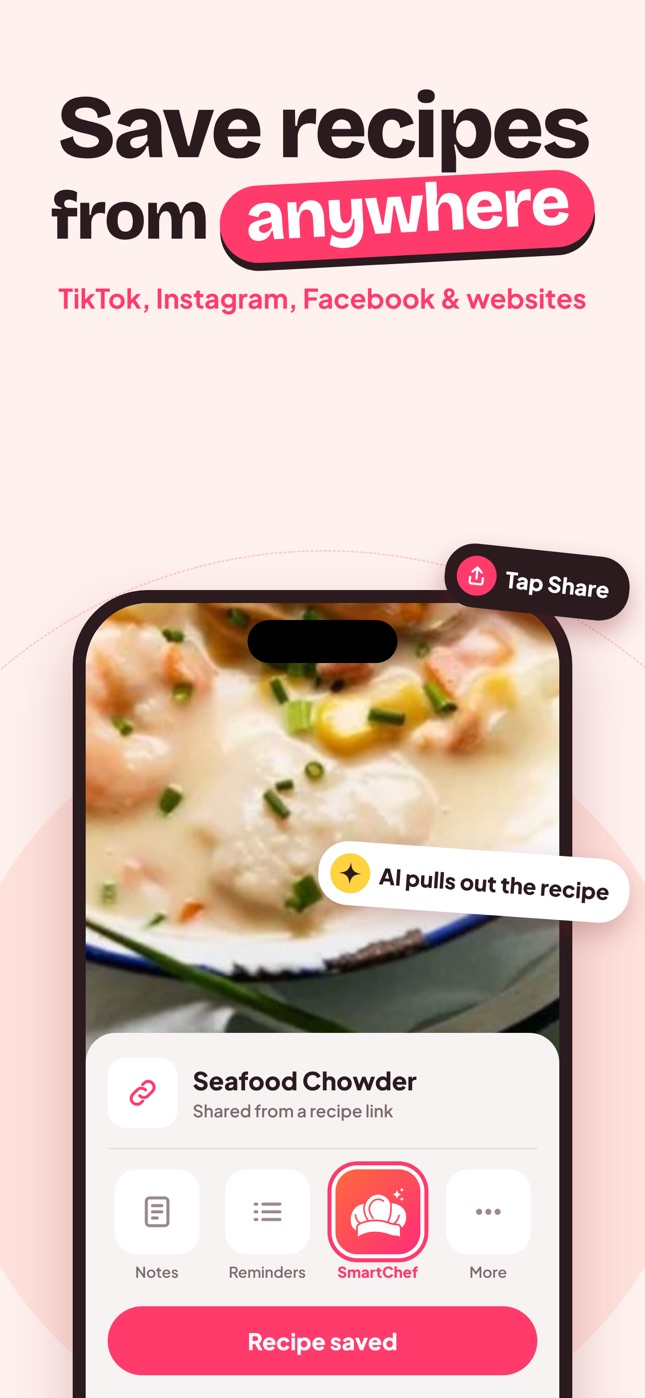
Share sheet import
Saving should be one tap from Safari, TikTok, Instagram or Facebook. If you have to copy, switch apps and paste, you'll go back to screenshots.
Collections that match how you cook
Folders like "Weeknight", "Soups", "Baking", "Meal prep" and "Hosting" work better than dozens of tags. See recipe category ideas for a structure that scales.
Search by ingredient
"Something with chickpeas" or "that recipe with miso" should find the recipe even if you forgot its name.
A real cooking mode
Ingredient checkboxes, adjustable servings and one step at a time in large type.
Scanning
For cookbook pages and family cards. See recipe scanner app.
iPad support
Many people cook from an iPad on a stand. Check the app runs on both.
Nice to have
- AI chef chat for swaps and ideas.
- Nutrition estimates per serving.
- Editing so you can make the recipe yours.
- Many languages if your household cooks in more than one.
How SmartChef AI organizes recipes
SmartChef AI saves recipes from TikTok, Instagram, Facebook and websites, or from a scan, into collections you create. Recent recipes appear on the home screen, and you can search by recipe or ingredient. Each recipe shows ingredients you can tick off, servings, estimated nutrition and step-by-step instructions, and you can edit ingredients any time. It runs on iPhone and iPad and is available in 33 languages.
A 20-minute setup
- Create 5–7 collections (start small).
- Import the 10 recipes you cook most.
- Import 10 "want to try" recipes into a "To try" collection.
- Scan 3 family recipes.
- Delete the screenshots. See stop screenshotting recipes.
Organizer features compared
| Feature | Why it matters on a phone |
|---|---|
| One-tap import | Saving has to be faster than taking a screenshot |
| Readable cook mode | You read it from a counter, not in your hand |
| Ingredient search | You remember ingredients more than names |
| Editable recipes | Your tweaks belong in the recipe, not in your head |
| Offline access | Check how the app behaves without a signal before relying on it in a basement kitchen |
Common mistakes when organizing
- Too many collections. Twenty collections with three recipes each is harder than six with twenty.
- Saving everything. Keep a "To try" collection and promote recipes to your main collections only after you've cooked them.
- Never pruning. Once a season, delete recipes you won't make. A smaller library is easier to cook from.
- Ignoring family recipes. Scan them now, while the cards are still readable. See how to digitize family recipes.
Frequently asked questions
What is the best way to organize recipes on iPhone?
Use a recipe app with share-sheet import and collections, then keep a "To try" collection so new saves don't clutter your favorites.
Can I organize recipes in the Photos app?
You can make albums of screenshots, but you can't search ingredients, scale servings or tick off steps. A recipe app does more with less effort.
Should I use tags or folders?
For most home cooks, a handful of collections plus ingredient search beats complex tagging. More in how to organize recipes.
Save it in one tap
Every recipe you love, in one smart kitchen
SmartChef AI saves recipes from TikTok, Instagram and any website, scans cookbooks and handwritten cards, and answers your cooking questions with an AI chef. Free to download on iPhone and iPad.
Download on theApp Store